Final Fantasy XV: Windows Edition – v1287370 HV / v1261414 Non-HV + 9 DLCs/Bonuses

#867 Updated  HYPERVISOR  Final Fantasy XV: Windows Edition v1287370 + 9 DLCs/Bonuses

Genres/Tags: Action, RPG, Open world, First-person, Third-person, 3D, Japanese
Company: Square Enix
Languages: RUS/ENG/MULTI11
Original Size: 173.6 GB
Repack Size: from 47.8 GB [Selective Download]


Download Mirrors (Direct Links)

Download Mirrors (Torrent)

Discussion and (possible) future updates on CS.RIN.RU thread

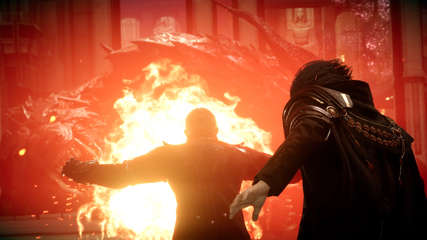
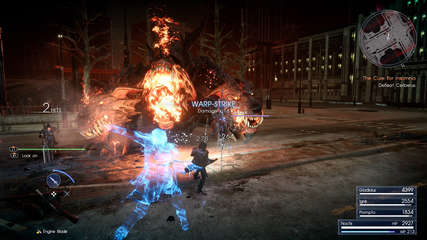
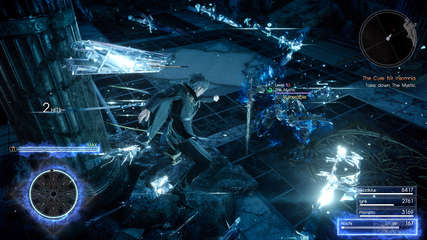
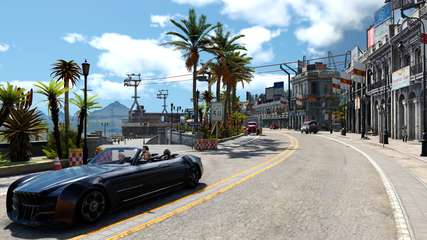
Screenshots (Click to enlarge)



Repack Features

  • Based on Steam BuildID 6575095 release: 171.3 GB
  • 4 bonus OSTs (2.3 GB) added
  • Hypervisor Bypass (INTEL & AMD) by DenuvOwO + Goldberg emu applied over
  • [b]Many antiviruses, including Windows Defender are now marking HV files as rootkits, rendering games unplayable. To avoid it either turn off AV completely, or add source/target installation folders to exclusions[/b]
  • VBS.cmd script v1.7.2 added
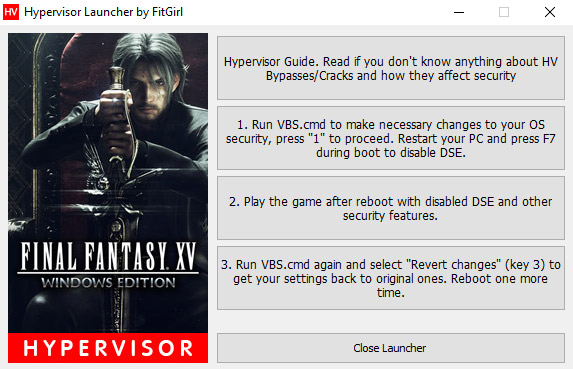
  • Custom launcher added for easier HV steps processing
  • Game version: v1287370; 9 DLCs/Bonuses are included and activated
  • 100% Lossless & MD5 Perfect: all files are identical to originals after installation
  • NOTHING ripped, NOTHING re-encoded
  • Selective Download feature: you may skip downloading and installing of non-English voiceovers, credits movie, Japanese videos, 4K videos, 4K Japanese videos, HD Textures Pack, Bonus OSTs and useless multiplayer files
  • Significantly smaller archive size (compressed from cumulative 173.6 to 47.8~115.1 GB, depending on selected components)
  • Installation takes from 12 minutes (on 32-threads CPU + SSD, no options) up to 2.5 hours (on 8-threads CPU + HDD, all components)
  • After-install integrity check so you could make sure that everything installed properly
  • HDD space after installation: up to 173.6 GB
  • Language can be changed in game settings
  • Repack uses XTool library by Razor12911
  • At least 4 GB of free RAM (inc. virtual) required for installing this repack

Having issues with my launcher?

Then do the following steps manually:

  • Make sure you have virtualization tech enabled in your BIOS: VT-x for Intel or AMD-V (SVM) for AMD
  • Run “VBS.cmd” in the game folder – you might want to download fresh version here: https://tzg.alybaba.top/hypervisor-guide/
  • Press 1 to make necessary changes to the system
  • Reboot and in the loading menu press F7 to disable DSE
  • Run “ffxv_s.exe”
  • Play
  • Run “VBS.cmd” again and press 3 to revert made changes
  • Reboot in the normal, secure mode

What is a Hypervisor Bypass?

Please read this article before proceeding with downloading and installation:
https://tzg.alybaba.top/hypervisor-guide/
Game Description

Get ready to be at the centre of the ultimate fantasy adventure, now for Windows PC.

Joined by your closest friends on the roadtrip of a lifetime through a breathtaking open world, witness stunning landscapes and encounter larger-than-life beasts on your journey to reclaim your homeland from an unimaginable foe.

In an action-packed battle system, channel the power of your ancestors to warp effortlessly through the air in thrilling combat, and together with your comrades, master the skills of weaponry, magic and team-based attacks.

Now realised with the power of cutting-edge technology for Windows PCs, including support for high-resolution displays and HDR10, the beautiful and carefully-crafted experience of FINAL FANTASY XV can be explored like never before.

Includes all of the exciting content released as part of continuous game updates (Chapter 13 alternate route, off-road Regalia customisation, character swap feature and more!). And comes with all of content released in the Season Pass – Episode Gladiolus, Episode Prompto, Multiplayer Expansion: Comrades, and Episode Ignis

Get ready to be at the centre of the ultimate fantasy adventure.

Game Features

  • “Insomnia City Ruins: Expanded Map” – a new map that takes you right up to the end
  • First Person Mode
  • Armiger Unleashed
  • Use of the Royal Cruiser has been unlocked, with new fishing spots and recipes
  • Additional quest to acquire and upgrade the Regalia TYPE-D

Included DLCs/Bonuses:

  • 4K Resolution Pack
  • Fashion Collection
  • 8700K Pack
  • Alien Shield
  • EPISODE ARDYN
  • Final Fantasy XV Original Soundtrack
  • Final Fantasy XV Original Soundtrack Volume 2
  • Final Fantasy XV Piano Collections Moonlit Melodies
  • End Of The Road – Melancholy Music from Final Fantasy XV

Backwards Compatibility

This repack is NOT backwards compatible with my previous Non-HV FFXV repack.

Older Non-HV v1261414 Repack

Repack Features

  • Based on Final.Fantasy.XV.Windows.Edition.Episode.Ardyn-CODEX ISO release: codex-final.fantasy.xv.windows.edition.episode.ardyn.iso (103,278,772,224 bytes)
  • Game version is v1261414; all released DLCs included and activated
  • Final.Fantasy.XV.Windows.Edition.Steamworks.Fix is available in NoDVD folder after installation, allowing MP support via Steam. Thanks to 0xdeadc0de!
  • ATTENTION! The game file structure uses very long filenames. To avoid problems, install this repack to a short path (i.e. C:GamesFFXV)
  • 100% Lossless & MD5 Perfect: all files are identical to originals after installation (when installed with all optionals; not counting removed 4K content)
  • 4K Videos and Textures included in CODEX release are moved to the separate repacks, NOTHING re-encoded
  • Selective Download feature: you may skip downloading and installing of unnecessary voiceovers, credits movie, Japanese videos and multiplayer files
  • Significantly smaller archive size (compressed from 96.2 to 48~56.1 GB, depending on selected components)
  • Installation takes (for any single language w/o any optionals): ~1 hour on 8-threads CPU; ~2 hours on 4-threads CPU
  • After-install integrity check so you could make sure that everything installed properly
  • HDD space after installation: up to 98 GB
  • Language can be changed in game settings
  • To disable huge anime heads in the beginning of the game, go to MODS menu option and disable mods you don’t like
  • Repack uses XTool library by Razor12911
  • At least 3 GB of free RAM (inc. virtual) required for installing this repack

Download Mirror (Direct Links)

Download Mirrors (Torrent)

HD Textures Add-on

This standalone HD textures add-on will upgrade your current FFXV version, allowing to use HD textures instead of standard ones.

It may be installed over original CODEX ISO or any repack, based on it.

  • Based on Final.Fantasy.XV.Windows.Edition.4K.Resolution.Pack-CPY ISO release: 65.1 GB
  • Final.Fantasy.XV.Windows.Edition.4K.Resolution.Pack.Update.Build.1261414-CODEX (1.1 GB) applied over
  • 100% Lossless & MD5 Perfect: all files are identical to originals after installation (4K Videos moved to a separate repack)
  • Significantly smaller archive size (compressed from cumulative 16.9 to 10.6 GB)
  • Installation takes: ~15 minutes on 8-threads CPU; ~30 minutes on 4-threads CPU
  • After-install integrity check so you could make sure that everything installed properly
  • HDD space after installation: adds ~16 GB to your existing game installation
  • Repack uses XTool library by Razor12911
  • At least 2 GB of free RAM (inc. virtual) required for installing this repack

Backwards Compatibility

This repack is NOT backwards compatible with my previous repack of FFXV HD Textures Add-on.

4K Videos Add-on for v1261414

This standalone 4K videos add-on will upgrade your current FFXV version to 4K videos standard, allowing you to see gorgeous pre-rendered movies at 3840×2160 resolution.

It may be installed over original CODEX ISO or any repack, based on it.

  • Based on Final.Fantasy.XV.Windows.Edition.4K.Resolution.Pack-CPY ISO release: 65.1 GB
  • Final.Fantasy.XV.Windows.Edition.4K.Resolution.Pack.Update.Build.1261414-CODEX (1.1 GB) applied over
  • 100% Lossless & MD5 Perfect: all files are identical to originals after installation (4K Textures moved to a separate repack)
  • Selective Download feature: you may skip downloading and installing of unnecessary Japanese 4K videos
  • Smaller archive size (compressed from cumulative 50.5 to 29.8/47.5 GB, depending on selected components)
  • Installation takes (w/o Japanese videos): ~20 minutes on 8-threads CPU; ~35 minutes on 4-threads CPU
  • After-install integrity check so you could make sure that everything installed properly
  • HDD space after installation: adds up to 58 GB to your existing game installation
If you like what I do, please consider donating to help me maintain this site, compressing RDP and seedboxes for my repacks. Donate to FitGirl

Leave a Reply